This article contains the ES700 Series Ninja Luxe™ Café Pro Series FAQs. This supports the ES701.
Pre-Purchase
What are the key features and benefits of Ninja Luxe Café Pro Series - ES701 model?
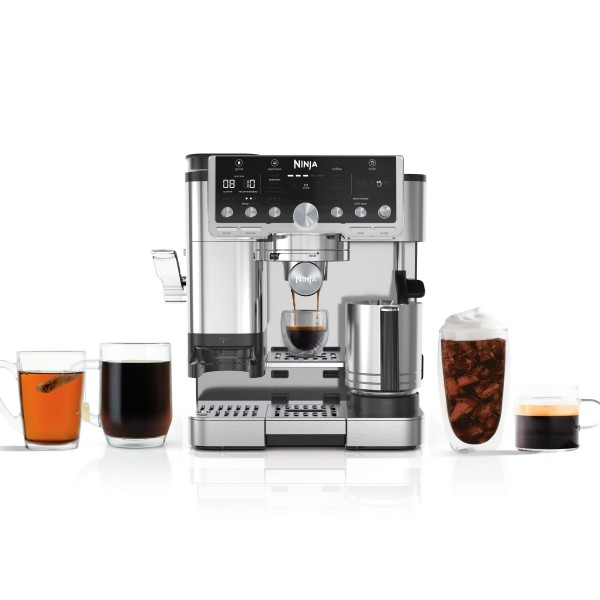
The ultimate guided experience that makes espresso uncomplicated. The Ninja Luxe™ Café Pro Series is an intelligent espresso & coffee system with unmatched 4-in-1 versatility (no guesswork espresso machine, well balanced drip coffee maker, rapid cold brew creator and independent hot water system), that helps you elevate your coffee routine and create café-quality drinks at home.
Here are the key features and benefits:
- 4 Machines in 1: Brew without limits with no-guesswork espresso, well-balanced drip coffee, rapid cold brew, and an independent hot water system.
• 5 Espresso Styles — single, double shot or quad shot, ristretto & lungo.
• 3 Drip Coffee Styles — classic, rich or over ice
• 2 Cold Brew styles — cold pressed espresso or cold brew coffee
• Independent Hot Water System — americanos, tea, and hot chocolate (drip coffee and cold brew available in 6, 8, 10, 12, 14, 16, 18 oz. sizes). - Barista Assist Technology™: Unlock the ultimate guided experience with customized grind-size recommendations, weight-based dosing, and active brew adjustments for temperature & pressure for balanced flavor. Café-quality brews, no guesswork required.
- Perfect pucks made easy: Integrated tamper consistently presses your grounds at 22 pounds of pressure every time for an evenly flat and compact puck that results in a bold, high-quality shot.
- XL Dual froth system pro: Enjoy more froth options with the easy-to-clean, insulated steam wand and XL Milk Jug. Elevate your at-home coffee routine and create froth for two drinks with 5 preset froth functions including steamed milk, thin froth, thick froth, extra-thick froth, and cold foam.
- Grind size recommendations: Barista Assist Technology™ monitors each brew and adapts the grind size recommendation based on the previous brew to eliminate trial and error, or dial in based on your personal preferences. Note that you can prevent sour or bitter brews by following the recommended grind size.
- Integrated grinder and weight-based dosing: The conical burr grinder has 25 grind settings to deliver a fresh grind for versatile drink options. Built-in scale unlocks weight-based dosing tailored for your chosen drink. Other machines simply grind for a set amount of time, and you need to manually weigh your grounds.
- Hands-free frothing: Whether using dairy or plant-based milk, or creating hot or cold microfoam, the XL Dual Froth System Pro combines steaming and whisking at the same time to effortlessly create perfectly textured microfoam, no skills required.
- Flavorful cold-pressed drinks: Brew espresso at a lower temperature and pressure, at a slower pace to extract a more flavorful, smooth brew. Perfect for creating a crowd-pleasing espresso martini.
- Built-in storage: Keep brew baskets, brush, and cleaning disc in the built-in storage compartment.
- Complete accessories: Portafilter, XL Milk Jug, Single Basket, Double Basket, Luxe Basket, Cleaning Brush, Cleaning Disc, Descaling Powder, Cleaning tablets, Hard Water Testing Kit, Instructions & Inspiration Guide.
These features make the Ninja Luxe™ Café Pro Series a versatile and user-friendly choice for brewing a wide range of high-quality coffee drinks at home.
Can Ninja Luxe Café accommodate different cup sizes?
Yes, the Ninja Luxe Café can accommodate up to an 8 inch travel mug.
What is Barista Assist Technology™?
Barista Assist Technology™ offers the ultimate guided experience with customized grind size recommendations, weight-based dosing, and active brew adjustments for temperature & pressure for balanced flavor, delivering café-quality brews, no guesswork required.
- Grind size recommendations & adaptive brewing: Our espresso machine eliminates the endless guesswork of making espresso by monitoring your brew and continuously adjusting settings like grind size, pressure, and more. That means you can create the perfect cup with no guesswork required.
- Built-in scale: Different drinks require different amounts of grounds. While other machines simply grind for a set amount of time, our built-in scale weighs out the perfect dose for your chosen drink.
- Basket recognition: The machine automatically detects which basket you’re using and adjusts settings accordingly without you lifting a finger.
What tamper does the Ninja Luxe Café Pro come with?
Ninja Luxe Café Pro comes with an integrated tamper to help the user effortlessly create the perfect puck without any guesswork.
What is the warranty for the Ninja Luxe Café Pro?
Ninja Luxe Café has a 1- year limited warranty.
Is the Ninja Luxe Café Pro Series a manual, semi-automatic, or automatic espresso machine?
The Ninja Luxe Café Pro Series is a Semi-Automatic Espresso Machine: This type of machine automates the water pressure and temperature but requires the user to grind, tamp, and start/stop the extraction process. It strikes a balance between control and convenience.
Can I use coffee capsules or pods with the Ninja Luxe Café?
No, you can not use coffee capsules or pods with the unit.
Does the hot water for brewing ever come into contact with plastic?
After the reservoir, the water does not come into contact with any plastic.
What is included in-box with the Ninja Luxe Café?
The ES701 Ninja Luxe Café includes:
- Main unit
- Single basket
- Double basket
- Luxe basket
- Portafilter
- Drip tray assembly
- Adjustable cup tray
- XL Milk jug
- Frothing whisk
- Water reservoir w/ lid
- Bean hopper w/ lid
- Cleaning disc
- Brush
- Descale powder
- Cleaning tablets
What are the key differences between ES601 and ES701 Ninja Luxe Café models?
The ES701 offers a broader range of espresso styles, more froth styles and recipes, and additional features like XL dual froth system pro with an XL Jug and an integrated tamper. It is positioned as a higher-end model compared to the ES601, with a higher price point reflecting its advanced capabilities and features. The ES601, while slightly less advanced, still provides a robust set of features suitable for many users, with a more accessible price point.
Key Differences
Espresso Drink Styles
- ES601: Offers 3 styles including double, quad, and cold-pressed.
- ES701: Offers 13 styles, including advanced options like Espresso, Ristretto, Lungo, Americano, and Cold-pressed.
Froth Styles and Recipes
- ES601: 4 froth styles (Steamed Milk, Thin Froth, Thick Froth, Cold Froth) and 2 froth recipes (Cappuccino & Latte).
- ES701: 5 froth styles (including Extra Thick Froth) and 5 froth recipes (Macchiato, Flat White, Cappuccino, Latte, Cold Foam).
Froth system
- ES601: Equipped with Dual froth system and comes with a standard Jug.
- ES701: Equipped with XL dual froth system pro and comes with an XL Jug (for easier cleaning and to make 2 drinks at once).
Tamper
- ES601: Uses an external, assisted tamper.
- ES701: Features an integrated tamper.
Additional Features
- ES701: Includes single basket, OneCup Hot Water, and Smart Integrated Tamper, which are not available in the ES601.
Accessories
Where can I store my accessories when they are not in use?
The machine features an onboard storage compartment on its right side, ideal for keeping your baskets, cleaning disk, and brush neatly stored when not in use. Additionally, the portafilter conveniently fits into the group head for easy access.
What is the drip tray capacity?
The drip tray has a capacity to hold water runoff from approximately 6 cappuccinos. This number will vary depending on what drinks you're brewing.
Brewing
How do I brew an espresso?
Before brewing an espresso, it's essential to decide on the type of espresso shot you want and then choose the correct basket accordingly.
To brew an espresso drink with Ninja Luxe Café, follow the steps below:
- Set Up
• Select basket based on drink choice. Line up tabs on basket with notches on portafilter and press down. • Insert portafilter straight into grinding cradle, making sure it’s level and fits securely. - Grind
• Turn the center dial to select ESPRESSO. Use grind dial on left side of machine to match current grind size to recommended grind size. Press START GRIND. - Tamp
• With portafilter still inserted into the grinding cradle, pull down on the tamper handle until there is resistance at the bottom then release. Tamp twice for best results. - Brew
• Install portafilter into group head by aligning orange dots and twisting to the right.
• Place cup under portafilter. Press START BREW. When brewing is complete empty grounds into a knock box or container. - Froth – optional
• Fill milk jug to one of the recommended fill lines. DO NOT exceed the max line.
• Place milk jug on milk jug platform. Press MILK TYPE button based on the milk that is in the jug. Turn froth dial to select your froth type, then press START FROTH.
How do I brew a cold coffee?
To brew a cold drink with the Ninja Luxe Café Pro, follow the steps below:
- Set up
• Insert Luxe basket in portafilter by aligning tabs on basket with notches on portafilter and press down.
• Insert portafilter straight into grinding cradle, making sure it’s level and fits securely. - Grind
• Turn the center dial to select COLD BREW. Press the SIZE button to select your brew size. Use grind dial on left side of machine to match current grind size to recommended grind size. Press START GRIND - Shake
• Remove the portafilter from the grinding cradle and even out the grounds with a light shake - Brew
• Install portafilter into group head by aligning orange dots and twisting to the right.
• Fill your cup with ice and place it under the portafilter.
• Press START BREW. When brewing is complete empty grounds into a knock box or container. - Cold Foam– optional
• Fill milk jug to one of the recommended fill lines.
• Place milk jug on milk jug platform. Press MILK TYPE button based on the milk that is in the jug. Turn froth dial to select your froth type, then press START FROTH.
How do I brew a drip coffee?
To brew a classic coffee drink with Ninja Luxe Café, follow the steps below:
- Set up
• Insert Luxe basket in portafilter by aligning tabs on basket with notches on portafilter and press down.
• Insert portafilter straight into grinding cradle, making sure it’s level and fits securely. - Grind
• Turn the center dial to select CLASSIC. Press the SIZE button to select your brew size. Use grind dial on left side of machine to match current grind size to recommended grind size. Press START GRIND - Shake
• Remove the portafilter from the grinding cradle and even out the grounds with a light shake. - Brew
• Install portafilter into group head by aligning orange dots and twisting to the right.
• Place cup under portafilter. Press START BREW. When brewing is complete empty grounds into a knock box or container. - Froth – optional
• Fill milk jug to one of the recommended fill lines. DO NOT exceed the max line.
• Place milk jug on milk jug platform. Press MILK TYPE button based on the milk that is in the jug. Turn froth dial to select your froth type, then press START FROTH.
What is the difference between Cold Brew and Over Ice?
Cold brew is brewed at a lower temperature for an ultra-smooth, naturally sweet coffee. Over Ice is specially programmed to brew concentrated hot coffee over ice for a drink that is never watered down. Please ensure to fill your cup with ice before brewing either setting.
How to get a perfect crema on my espresso with Ninja Luxe Café?
Crema is the thick, foamy layer on top of an espresso drink. Its presence indicates that the extraction process is working correctly.
The variables that need to be in sync to produce great cream are: Fresh coffee beans, the right grind, proper dosage, correct water temperature, and adequate coffee pressure.
- Maximizing Crema
Use a traditional narrow espresso cup (demi-tasse cup) to maximize crema. - Common Issues
Pale or thin crema can be caused by stale coffee, an overly coarse grind, cool water, low coffee dosage, low water dosage, or low pressure. - Benefits of Crema
Crema helps trap the sweet aromas of espresso, enhancing the flavor complexity when mixed. However, it will dissipate over time, becoming thinner and separating from the coffee. - Peak Quality
Espresso is at its best immediately after brewing, with thick, full, and foamy crema that ranges from tan to mahogany. Enjoy it right away for the best experience!
Tip: To get the perfect crema, make sure that the current grind size always matches the recommended grind before grinding and brewing.
Why is puck soggy after making a drink?
Either your grounds are too fine or you didn't tamp hard enough - make sure you are dialed in.
Why is my puck stuck to the grouphead?
This just happens sometimes due to the way we relive pressure, recommendation is to take portafilter out immediately after brewing.
What does "dialing in your espresso" mean?
"Dialing in" means calibrating the grind size for your beans to get the perfect espresso extraction for your drink.
Barista Assist Technology™ automatically does this for you. All you have to do, is simply brew 2 espressos, and the machine will calibrate for your current beans.
How can I customize the strength of my coffee drink?
To adjust brew strength, use the TEMP/STRENGTH button. If STRENGTH is not already illuminated, press and hold the TEMP/STRENGTH button for 3 seconds. The strength adjustment will work differently depending on if you are brewing espresso or coffee.
Espresso Strength Adjustments:
• Taller, less concentrated: 4:1 water to grounds ratio
•• Default: 2.5:1 water to grounds ratio
••• Shorter, more concentrated: 2:1 water to grounds ratio
Note: Adjusting your espresso brew strength will affect your brew volume output. Strength 1 will have a larger output than the default setting. Use a larger cup than normal.
Coffee Strength Adjustments:
• Mild: Less beans will be ground
•• Default
••• Bold: More beans will be ground
How can I customize the temperature of my coffee drink?
There are several methods and practices to help get your preferred temperature.
TEMP/STRENGTH Button
Before brewing, you can adjust the temperature using the TEMP/STRENGTH button. If TEMP is not already illuminated, press and hold the TEMP/STRENGTH button for 3 seconds.
Temperature Adjustments:
• Low Temperature
•• Medium Temperature (default)
••• High Temperature
The temperature of the drink will affect the extraction of the espresso and the flavor of your drink. For best results and proper extraction, we recommend a low or medium temperature for darker roasts, and a medium or high temperature for light roasts.
Choosing the Right Cup
Ensure the cup you are using is appropriate for the size of your drink. For a hotter drink, use a cup that is a similar size to your drink. The thickness of the material your cup is made of will also affect the temperature of your drink. For a hotter drink, use a cup made of thinner material.
Pre-Heating Before You Brew
Running hot water through the group head and portafilter will help pre-heat them, as well as the machine for future brews. To further increase the temperature of your drink, run a water-only double shot of espresso through the portafilter into the cup you would like to brew your drink in. The temperature of your cup will impact the temperature of your drink. Discard the water, then dry the cup and portafilter. Then, proceed to brewing. See Water Flush for instructions.
Can I make drip coffee on this machine?
Yes, this machine is great for making both espresso based drinks as well as coffee based drinks. The drip coffee settings include Classic, Rich, Over Ice, and Cold Brew. The sizes that can be brewed include 6oz, 8oz, 10oz, 12oz, 14oz, 16oz, and 18oz.
Why does it seem like I get less coffee when brewing "cold brew" or "over ice"?
When brewing Cold Brew or Over Ice, please ensure that the cup you are brewing into is filled to the top with ice. These brews are specially designed to brew strong in order to account for ice melt. The size displayed on the control panel will reflect the volume of the drink after the ice melt.
Cleaning
Which descaling solution should I use?
For best results, we recommend using the Descale Powder provided in the box and available on NinjaKitchen.com website. Alternatively, you may use a solution of 16 ounces of vinegar mixed with 21 ounces of water.
The CLEAN light turned on, what do I do?
The clean cycle flushes out residual oils or grounds that are built up in and around the group head. When the CLEAN light illuminates you need to run a clean cycle.
Time to complete: approximately 6 minutes
The clean cycle requires the cleaning disc (included with the machine and stored in the accessory storage) and a cleaning tablet (also included and available for purchase on ninjakitchen.com/ accessories).
Follow these steps to run a clean cycle:
1. Ensure the main drip tray is empty as the water brewed from the clean cycle will be deposited into the main drip tray. Tip: Not emptying the main drip tray may cause overflow.
2. Fill the water reservoir up to but not exceeding the Max Fill line.
3. With the double basket inserted into the portafilter, place the cleaning disk on top of the basket, with the handle facing up.
4. Place 1 cleaning tablet in the center of the cleaning disc.
5. Fasten the portafilter into the group head and press the CLEAN button.
6. The clean cycle will take approximately 6 minutes to complete. The machine will beep when the clean cycle is complete.
7. After the clean cycle is complete, remove both the portafilter and main drip tray with caution, as there may be water in both. Hand wash with warm soapy water.
The DESCALE light turned on, what do I do?
When the DESCALE light illuminates, you must run a descale cycle. If a descale isn’t performed after the light turns on, drink quality will diminish and the machine may clog and stop working.
Descaling breaks down and removes limescale and mineral buildup inside the machine.
Time to complete: approximately 90 minutes
Follow these steps to run a descale cycle:
1. Ensure the main drip tray is completely emptied, as some of the water brewed from the descale cycle will be deposited into the main drip tray. Tip: Not emptying the main drip tray may cause overflow.
2. Dissolve the provided Ninja descale powder in a separate container with 37 fl. oz. of water. Pour the solution mixture into the water reservoir OR
Fill the water reservoir with 16 oz. of white vinegar, then fill the reservoir to the Descale line with water.
3. Insert the double basket into the portafilter.
4. Fasten the portafilter into the group head.
5. Ensure the milk jug is placed on the milk jug platform with the steam wand inside.
6. Place an empty cup (at least 18 oz.) under the portafilter. You may have to remove the center drip tray.
7. Press the DESCALE button, then press the center dial to start the descale cycle.
8. The machine will start the descale cycle. The machine will flush the solution through the steam wand and portafilter for approximately 90 minutes. The machine will count down the remaining time on the control panel.
9. The machine will beep indicating when the descale cycle is complete.
10. After the cycle is complete, remove the portafilter, main drip tray, and milk jug with caution, as there will be water in each.
11. Empty the contents of each and hand-wash with warm, soapy water to remove any solution that could affect the flavor of your coffee.
12. Fill the reservoir with fresh water up to, but not exceeding the Max Fill line.
13. Install the main drip tray back on the machine and install the portafilter in the group head. Do not install the milk jug.
14 Flush the group head by running a 12 oz. CLASSIC brew.
15 Then, with the milk jug uninstalled, flush the steam wand by pressing the PURGE button.
Always make sure you're wiping down the unit and removing any splatter from the descale process as quickly as possible.
How much descale solution should I use in my espresso machine?
When running a descale cycle, 1 packet of the Descale Powder is required.
Does bottled water avoid limescale?
While using bottled water won't entirely eliminate the need for descaling your machine, it will decrease how frequently you'll have to do it.
When should I use the Purge function?
The steam wand comes equipped with its own cleaning program to get rid of inner debris and residue. After frothing, push the steam wand back into the down position without the milk jug and it will automatically flush itself out.
If the machine is not able to Auto-Purge, the Purge button will illuminate.
You must manually purge the frother by selecting the Purge button with the steam wand down and no milk jug on the platform before your next froth.
It is recommended to purge immediately after your froth to prevent build-up inside the steam wand.
Can I pour water into my bean hopper to clean out the grounds?
Do not pour water into the bean hopper while it is installed on the machine. Ensure that you remove the hopper from the machine for cleaning. The bean hopper and the bean hopper lid can be hand-washed and are dishwasher-safe.
Which parts are safe to clean in the dishwasher and which parts are not?
Dishwasher safe parts: Whisk, cleaning disc, water reservoir, bean hopper, and all drip tray components.
Not dishwasher safe parts: Milk jug, all baskets, portafilter, cleaning brush, and adjustable drip tray.
Coffee Beans
What is the best way to store my coffee beans?
To keep your coffee beans fresh and flavorful, start by buying just enough whole beans to use up within a few weeks.
Once you've opened the package, transfer the beans to an airtight container like a sealed food storage container, ziplock bag, or any other sealed container. If you can't find an airtight container, simply squeeze the air out of the package and seal it tightly.
Store them in a cool, dry spot away from heat and light, as these can affect the quality of your coffee. Remember to clean your storage container after each use, as coffee has oils that can turn rancid over time, affecting its aroma and taste.
Coffee is sensitive to moisture, so be cautious not to expose it to water or humid environments, as it can absorb moisture and affect the flavor.
Can I use frozen beans in my grinder?
Using frozen beans in a grinder is not recommended. Frozen beans often contain air in the packaging, which can cause condensation when they thaw, making the beans wet. Grinding wet beans can introduce moisture into the grinder, potentially causing internal rust and damaging the machine. It also affects the taste of your coffee. Additionally, wet beans tend to clump together, leading to clogs in the grinder and improper feeding of the beans. This can result in the need for frequent maintenance of your machine.
What type of coffee beans should I use for espresso?
Begin your coffee exploration with these key considerations for selecting the perfect beans:
Freshness
We recommend buying freshly roasted coffee beans and using them within 20 days of the “Roasted On” date. “Best By” dates can also be considered, as these packages are often vacuum-sealed to keep the coffee fresh.
Blend and Origins
When buying coffee, you have many options. Coffee flavor is influenced by where it's grown—this is called terroir, which includes factors like altitude, soil composition, weather, and harvest practices.
Single-origin coffee may vary in flavor throughout the year, while blends combine beans from different regions to create a consistent taste year-round.
Roast Level
Coffee can be roasted from very light to very dark.
• Lighter roasts often taste like milk chocolate, citrus fruits, raw nuts, and tart berries.
• Darker roasts develop flavors like dark chocolate, ripe berries, toasted nuts, caramel, brown sugar, and raisins.
Our Suggestion: Experiment with different coffee blends, origins, or roast levels until you find what you love. Enjoy the journey of discovering your perfect cup!
What type of coffee beans should I use for drip coffee?
Begin your coffee exploration with these key considerations for selecting the perfect beans:
Freshness
We recommend buying freshly roasted coffee beans and using them within 20 days of the “Roasted On” date. “Best By” dates can also be considered, as these packages are often vacuum-sealed to keep the coffee fresh.
Blend and Origins
When buying coffee, you have many options. Coffee flavor is influenced by where it's grown—this is called terroir, which includes factors like altitude, soil composition, weather, and harvest practices.
Single-origin coffee may vary in flavor throughout the year, while blends combine beans from different regions to create a consistent taste year-round.
Roast Level
Coffee can be roasted from very light to very dark.
• Lighter roasts often taste like milk chocolate, citrus fruits, raw nuts, and tart berries.
• Darker roasts develop flavors like dark chocolate, ripe berries, toasted nuts, caramel, brown sugar, and raisins.
Our Suggestion: If you're new to making espresso at home, we suggest starting with a medium roast. It offers a smoother, milder flavor that's recommended for espresso newcomers.
However, if you're already familiar with espresso, why not go for a dark roast? It'll give you that rich, bold flavor for your espresso drinks. Experiment with different coffee blends, origins, or roast levels until you find what you love. Enjoy the journey of discovering your perfect cup!
What type of coffee should I purchase for my first coffee drink with Ninja Luxe Café?
The Ninja Luxe Café is only compatible with whole-bean coffee.
Begin your coffee exploration with these key considerations for selecting the perfect beans:
Freshness
We recommend buying freshly roasted coffee beans and using them within 20 days of the “Roasted On” date. “Best By” dates can also be considered, as these packages are often vacuum-sealed to keep the coffee fresh.
Blend and Origins
When buying coffee, you have many options. Coffee flavor is influenced by where it's grown—this is called terroir, which includes factors like altitude, soil composition, weather, and harvest practices.
Single-origin coffee may vary in flavor throughout the year, while blends combine beans from different regions to create a consistent taste year-round.
Roast Level
Coffee can be roasted from very light to very dark.
• Lighter roasts often taste like milk chocolate, citrus fruits, raw nuts, and tart berries.
• Darker roasts develop flavors like dark chocolate, ripe berries, toasted nuts, caramel, brown sugar, and raisins.
Our Suggestion: Experiment with different coffee blends, origins, or roast levels until you find what you love. Enjoy the journey of discovering your perfect cup!
I don’t have whole beans, can I use ground beans for my coffee?
The Ninja Luxe Café is only compatible with whole bean coffee. For best results, use the grinder on the machine when grinding.
How to choose the right beans?
Begin your coffee exploration with these key considerations for selecting the perfect beans:
Freshness
We recommend buying freshly roasted coffee beans and using them within 20 days of the “Roasted On” date. “Best By” dates can also be considered, as these packages are often vacuum-sealed to keep the coffee fresh.
Blend and Origins
When buying coffee, you have many options. Coffee flavor is influenced by where it's grown—this is called terroir, which includes factors like altitude, soil composition, weather, and harvest practices.
Single-origin coffee may vary in flavor throughout the year, while blends combine beans from different regions to create a consistent taste year-round.
Roast Level
Coffee can be roasted from very light to very dark.
• Lighter roasts often taste like milk chocolate, citrus fruits, raw nuts, and tart berries.
• Darker roasts develop flavors like dark chocolate, ripe berries, toasted nuts, caramel, brown sugar, and raisins.
Our Suggestion: Experiment with different coffee blends, origins, or roast levels until you find what you love. Enjoy the journey of discovering your perfect cup!
Should I store coffee beans in the freezer or refrigerator?
It's generally not recommended to store coffee beans in the freezer or refrigerator. Freezing coffee beans might seem like a good idea, but it can actually harm their quality over time.
The moisture from the beans and even within the package can lead to ice crystals forming, which can degrade the flavor and aroma. Additionally, temperature fluctuations in the freezer can cause the beans to freeze and thaw repeatedly, further impacting their taste.
Storing coffee in a non-airtight container in the freezer or refrigerator isn't ideal, as the dry air inside these appliances can speed up the staling process. Plus, since coffee absorbs odors easily, it might pick up unwanted smells from other foods nearby.
Can I use flavored coffee beans with Ninja Luxe Café?
Flavored coffee should not be used in the Ninja Luxe Café espresso machine. The flavoring ingredients can coat the inside of the grinder, brew baskets, and portafilter, making them very difficult to clean and affecting the taste of future beverages. Instead, flavoring should be added to the beverage using syrup or sauce.
Control Panel
What does the "Rinse" message on the control panel mean?
If you attempt to make a cold drink immediately after making a hot drink, you will get a RINSE notification above the center dial.
Here's what you do to clear RINSE notification:
Ensure the portafilter is not installed in the group head before proceeding.
1. Place a cup (that can hold at least 12 oz.) below the group head.
2. Press START BREW and allow the machine to rinse and get to the right temperature.
3. The machine will rinse approximately 8 oz. of water through the group head.
4. The machine will beep to indicate that the brew has started. The progress bar will illuminate indicating the status of the brew. When finished, the machine will beep again signifying the brew is complete. After the machine beeps a second time, remove the cup and dispose of the water.
Note: To avoid the RINSE process, brew all desired cold drinks before proceeding to hot drinks.
Why I can't select my desired drink on the control panel?
The machine will only display coffee drinks compatible with the specific basket in the portafilter. If you don't see your desired drink, simply swap out the basket until you find the right match. The Ninja Luxe Café Pro is compatible with the Single, Double and Luxe basket.
To brew a delicious coffee with the Ninja Luxe Café Pro, begin by selecting the appropriate basket for your desired drink. Insert the basket into the portafilter, making sure the large tab on the basket aligns with the one on the portafilter, then press it firmly into place.
Next, install the portafilter straight into the grinding cradle, ensuring it's stable. Once installed, you're ready to select your drink and start brewing.
How do I turn off the "beeps" from the control panel?
To turn Silent Mode on, enter into the additional settings menu by holding the SIZE button for 3 seconds. Use the center dial to scroll to _h01. Press the center dial then scroll to 'On'. Turning Silent Mode on will turn the beeps off. Press the center dial again. To exit the additional settings menu, press and hold SIZE for 3 seconds.
Frothing
How do I froth?
Follow steps below for frothing :
1. To froth, start by filling the milk jug with your desired amount of milk.
2. Make sure not to exceed the Maximum Fill line. Next, place the milk jug on the platform with the steam wand inside the jug.
3. On the control panel, use the froth dial to select your desired froth setting.
4. Next, select dairy or plant-based milk type based on the milk that is in the jug. Press the froth dial to start frothing. Press START FROTH.
The machine will beep to signal that the frothing has started. The progress bar will illuminate to indicate the status of the frothing. When finished, the machine will beep again.
After you finish frothing
5. Once you remove the milk jug, clean the steam wand with a damp cloth before pushing it back down.
6. When the steam wand is pushed back down, auto purging will occur. This is to clean the inside of the steam wand. The machine will beep to signal that the purge has started. When finished, the machine will beep again.
Froth queuing
After you have started your brew, you are able to queue up your froth to start immediately after the brew is finished.
1. Fill your milk jug with the desired amount of milk, but do not exceed the max fill line.
2. While brewing, select dairy or plant-based milk with the "milk type" button and froth setting with the froth dial. 3 Press "Start Froth". Cold foam does not need to be queued and can froth while the machine is brewing.
NOTE: While your machine is brewing, you can pick your froth settings and select START FROTH. Doing this will allow the machine to start frothing your milk after brewing is completed. You will hear one beep once both brewing and frothing are complete.
NOTE: DO NOT froth milk directly into the espresso or coffee; always froth in the milk jug and pour the froth into the espresso or coffee base afterwards.
Can I change the temperature of my froth?
Yes, you can change the temperature for the froth. To do this, press and hold the SIZE button for 3 seconds to access the Additional Settings menu. Using the center dial, scroll to _h07 and press the center dial. Here, you can chose between low, medium, and high settings. To select your setting, press the center dial again. To exit the menu, press the SIZE button again.
How do I manually froth with Ninja Luxe Café?
To froth manually using Ninja Luxe Café, follow these steps:
1. Fill the milk jug as desired in between the min and max fill lines.
2. Make sure you are on the steamed milk setting.
3. Pull the steam wand out. Place the steam wand inside the milk jug so that the wand is resting within the milk jug spout.
4. Angle the milk jug slightly to the left or right so that the steam wand is about a finger’s width away from the wall of the milk jug.
5. Hold START FROTH for 3 seconds. The machine will beep to indicate that frothing has started, and steam will start to generate from the wand.
6. Place the wand just below the surface of the milk to start incorporating air to stretch the volume of milk. This should start to create a whirlpool with the milk.
7. Once you feel comfortable with the volume of milk, move the jug up so the steam wand is further below the surface. This is to heat your drink up.
8. Stay in that position until the jug is too hot to hold with your hand, then press START FROTH to turn the function off.
How can I improve my quality of froth?
To improve the quality of your froth, use a milk with a higher fat content. For non-dairy milks, we recommend barista blends for optimal outputs.
Grinding
How do I grind with Ninja Luxe Café?
Follow the step-by-step guide below for grinding.
1. Start by selecting the drink you wish to make on the control panel.
2. Select the basket based on drink choice.
3. With the basket inserted into the portafilter and the funnel on top, place the portafilter into the grinding cradle. Insert portafilter straight into grinding cradle, making sure it’s level and fits securely.
4. For the optimal brew, use the grind dial on the left side of the machine to match the "Recommended" with the "Current" grind setting.
5. Select the "Start Grind" button to begin grinding.
6. When this is complete, pull down on the tamper handle until you feel resistance on the puck. For best results, tamp twice.
Why should I follow the recommended grind setting on the machine?
The Ninja Luxe Café is continuously monitoring your brews to provide the grind setting recommendation that will create the perfect cup of espresso. The machine considers brew time and pressure so that you don't have to.
Barista Assist Technology is Ninja’s solution to the tiresome process of dialing in beans. We do the process for you and require zero user input. It recommends the optimal grind size based on your selected drink type. Recommendations are different and will change on the control panel based on whether espresso drinks vs. coffee drinks are selected.
How it works
After a brew is complete, Barista Assist Technology will automatically adjust the recommended grind size to where it is calculated is best for your beans. This means every completed espresso brew will factor into Barista Assist Technology and either keep or change the recommended grind size depending on what is best for your beans at that time.
Below is a guide that shows where recommended grind settings will likely fall for each drink depending on the bean type and age of the bean.
*All grinders utilize different numbers, the Ninja Luxe Café grinder numbers will not align with a competitor brand."
How do I calibrate/adjust the coffee grinder? What does dialing in mean?
Barista Assist Technology™ learns from past brews and automatically recommends the grind size based on the beans and past brew outputs.
Simply brew 2 espressos, and the machine will calibrate for your current beans. This is referred to as "dialing in" your machine.
Step-by-step guide to calibrating:
- To calibrate your grinder, brew 2 espressos.
- While you can still drink your first two brews, please note that the flavor and crema may not be optimal.
- Ensure to match your current grind setting to the recommended one each time you brew.
- After the second brew, your grinder is calibrated, and you can enjoy your perfect drink.
Tips:
- Remember to repeat this process when you change the beans in the bean hopper.
- Keep in mind that the recommended grind size may change as beans age or when using new beans. Barista Assist Technology™ will make adjustments to ensure proper espresso extraction.
- Coffee grinder calibration is only necessary for single, double, and quad shots.
Why is the recommended grind size occasionally changing on Ninja Luxe Café?
The recommended grind size adjusts for for the current coffee drink selection. Once a brew is selected, Barista Assist Technology™ recommends a grind size based on the beans and previous brew output. If you wish to follow the recommended size, use the grind dial on the side of the machine to adjust the current grind size to match the recommended grind size. This monitors every brew, so you may notice this change over time.
How to Operate
Can I make coffee and froth at the same time?
No, you cannot brew and froth at the same time.
To queue your froth, start a froth cycle at any point during the brew. This will allow the frother to start once the brew is complete.
Froth queuing:
After you have started your brew, you can queue up your froth to start immediately after the brew is finished.
1. Fill your milk jug with the desired amount of milk, but do not exceed the max fill line.
2. While brewing, select dairy or plant-based milk with the "milk type" button and the froth setting with the froth dial.
3. Press "Start Froth".
Note: Cold foam does not need to be queued and can froth while the machine is brewing.
Can I make coffee and grind at the same time?
No, you cannot grind and brew at the same time.
Can I grind and froth at the same time?
No, you cannot grind and froth at the same time.
How do I know when my drip tray is full?
As you brew, the drip tray will fill up. When the orange empty indicator rises enough to be visible, it's time to empty the main drip tray.
1. Remove the main drip tray from the machine by pulling the tray away.
2. Carefully move the main drip tray to the sink and pour water out through the pour spout.
3. Insert the drip tray back into the machine.
After brewing coffee, there's a significant amount of water in the drip tray. Should I be concerned?
During and after a brew, a small amount of water will be dispensed into the drip tray. This is normal and the amount will vary on what you're brewing and frothing. To prevent the drip tray from overfilling, please empty the drip tray frequently or when the orange drip tray indicator is visible.
How do I adjust the grinder setting on my espresso machine?
To match the current grind size to the recommended grind size, turn the grind dial on the left side of your machine.
How do I prime my machine?
This is the step-by-step guide to prime the machine.
1. Fill the water reservoir to the Max Fill line.
2. With the double basket inserted into the portafilter, insert the portafilter into the group head.
3. Place a 12oz cup under the group head and ensure the milk jug is on the platform with the steam wand in the jug.
4. Select a 12oz coffee drink and run a water-only brew into the cup.
5. When this is complete, press the "Purge" button to flush water through the steam wand. When this cycle is complete, discard the water in both the cup and the milk jug. Priming is complete.
Why can't I change my brew setting after grinding?
With the Ninja Luxe Cafe, you select your desired drink before grinding. The machine will grind the necessary amount of grounds to the required coarseness for the chosen drink.
After the grinding process is complete, the machine will be set to the selected brew style and size associated with that grind.
To change the brew style and size after grinding, empty the grounds from the portafilter, power off and on the machine, and then select your preferred brew again.
How do I switch out the beans in the hopper?
To change beans, unlock the bean hopper by rotating the handle counterclockwise.
Remove the bean hopper and pour out any leftover beans into a container.
Place the hopper back on the machine and lock it into place by rotating the handle clockwise.
With the funnel attached, place the portafilter into the grinding cradle and select START GRIND to clear and left over beans.
You can now fill the hopper with the new beans. You will have to dial in your machine every time you change beans.
How to use the Additional settings menu?
The Additional Settings menu offers additional options to customize your machine and is accessible by pressing and holding the SIZE button for 3 seconds.
Navigate through these topics by turning the center dial.
1. Press START BREW to select your desired topic.
2. Once you select into a topic, turn the center dial to get to your desired option and press START BREW to make your selection.
3. After a selection is made, you will hear a beep and return to the menu screen.
4. You can exit the menu by pressing the SIZE button again.
How to install the portafilter?
To install the portafilter for grinding, proceed with the following steps:
1. Insert it into the grinding cradle. Make sure it is level and fits securely. Once the portafilter is installed in the grinding cradle, it will be weighed. To ensure accurate weight, let go of the portafilter.
2. The machine will detect which basket is locked into it. The machine will display an animation, then the control panel will illuminate the selectable brew options based on the basket that is installed.
To install the portafilter for brewing , proceed with the following steps:
1. Place the portafilter in the group head by aligning the orange dot on the portafilter with the orange dot on the group head.
2. Twist the portafilter into the group head until the orange dot on the portafilter aligns with the lock arrow on the group head.
How do I make 2 cups of espresso at the same time?
The Ninja Luxe Café Pro is not designed to brew 2 cups at the same time.
How do I use the water filter inserts?
1. Soak water filter for 5 minutes
2. Rinse water filter and mesh for 60 seconds.
3. Secure filter into filter housing.
4. Set date 2 months ahead.
5. Install filter housing into reservoir.
Product Specs
Will the machine remember programmed settings if unplugged ?
When unplugged, the Ninja Luxe Café Pro will remember settings such as water hardness, temperature, drink ratio, and current grind setting.
How many watts are required for this machine?
The Ninja Luxe Café Pro is rated for 1650W.
What are the dimensions of the Ninja Luxe Café Pro Series?
The Ninja Luxe Café Pro Series has dimensions of 12.5 inches in width, 13.4 inches in length, and 14.84 inches in height.
Is the grinder detachable?
No, the grinder is not detachable.
How long is the power cord?
The power cord is 40 inches long.
Is this machine BPA free?
Yes, the Ninja Luxe Café is BPA free.
What material are the grinder blades made of?
The grinder burrs are made out of stainless steel.
Why is there water in the machine out of box?
To ensure optimal performance we rigorously test each Ninja Luxe Café machine before it gets to you. All machines are cleaned after testing, but some water or grounds may still be present. If needed, simply brush and wipe clean before use.
Water Hardness Test
How should I proceed with the water test strip?
The water test strip is provided to complete a water hardness test. When you plug your machine in for the first time, you will be prompted with "_hd5" notification on the right side of the display screen.
All water has minerals that can cause buildup in your machine over time. These minerals are referred to as water hardness, and will impact how often you will need to descale your machine. Doing this test will ensure your machine recommends a descale at the right time. The machine can be set to whatever water hardness you have available.
To set your water hardness level please follow the steps below:
1. Remove the test strip from the pack.
2. Completely submerge the strip in water for 5-10 seconds. Pull the test strip out and lightly shake it.
3. Place the test strip on a dry, flat surface and wait 1 minute for the results.
4. After 1 minute, you will see 0-5 purple squares appear. This will indicate the water hardness level of your water (0 purple squares = level 0, 5 purple squares = level 5, etc)
After identifying your water level hardness, plug the machine in and turn it on by pressing the power button. Look at the left side of the control panel, it should display "hd 5"**. Rotate the center dial to program your water level hardness by matching the number of purple squares on your strip to the number displayed. Press the center dial to confirm.
** If "hd 5" does not populate on your screen, this can be found in the Additional Settings menu. Press and hold the SIZE button for 3 seconds. Use the center dial to scroll to "_h08" and press the center dial. Use the center dial to scroll and select your water hardness level. Hold the Brew Temp button for 3 seconds to exit the menu.
How do I set the water hardness on my espresso machine?
The water test strip is provided to complete a water hardness test. When you plug your machine in for the first time, you will be prompted with "_hd5" notification on the right side of the display screen.
All water has minerals that can cause buildup in your machine over time. These minerals are referred to as water hardness and will impact how often you will need to descale your machine. Doing this test will ensure your machine recommends a descale at the right time. The machine can be set to whatever water hardness you have available.
To set your water hardness level please follow the steps below:
1. Remove the test strip from the pack.
2. Completely submerge the strip in water for 5-10 seconds. Pull the test strip out and lightly shake it.
3. Place the test strip on a dry, flat surface and wait 1 minute for the results. After 1 minute, you will see 0-5 purple squares appear. This will indicate the water hardness level of your water (0 purple squares = level 0, 5 purple squares = level 5, etc)
4. After identifying your water level hardness, plug the machine in and turn it on by pressing the power button. Look at the left side of the control panel, it should display "hd 5"**. Rotate the center dial to program your water level hardness by matching the number of purple squares on your strip to the number displayed. Press the center dial to confirm.
** If "hd 5" does not populate on your screen, this can be found in the Additional Settings menu.
Press and hold the SIZE button for 3 seconds. Use the center dial to scroll to "_h08" and press the center dial.
Use the center dial to scroll and select your water hardness level. Hold the SIZE button for 3 seconds to exit the menu.
Tamping
How, and when, do I use the tamper?
Be sure to tamp twice on all espresso drinks, as well as 16 oz. and 18 oz. Coffee drinks; this is to ensure no grounds spill over the edge of the portafilter.
For 6 oz. to 14 oz. coffee drinks, lightly shake the portafilter to level the coffee grounds, and then proceed to brew. No tamping required.
To tamp, wait for grinding to be complete. Then, with the portafilter still inserted into the grinding cradle, pull the tamper handle down until you feel resistance.
For best results, tamp twice. Remove the portafilter from the grinding cradle and you are ready to brew.
Hot Water
What is the hot water button for?
Ninja Luxe Café Pro Series features a dedicated outlet that dispenses hot water without brewing a coffee drink. Dispense hot water on demand for teas and to top up coffee.
How do I dispense hot water?
Your Ninja Luxe Café has a hot water feature that allows you to brew hot water on demand.
NOTE: The hot water outlet is located behind the group head. Ensure that your cup is positioned centrally on the cup holder and on the highest shelf setting to reduce splashing.
Follow steps below to dispense hot water:
1. Press HOT WATER button.
2. Turn the center dial to adjust the hot water temperature.
Temperature Adjustments
- Low Temperature
- Medium Temperature (default)
- High Temperature
3. Press START BREW to begin dispensing hot water.
4. Press START BREW again when you have your desired volume output, or wait for the program to finish.
NOTE: The program will dispense 8 oz of hot water if not stopped.
What is the water temperature for each setting level: low, medium, and high?
Low, medium and hot settings are available, and can be adjusted to your preference.